
7 Best AI Business Card Generator Tools for Modern Professionals
AI business card generator tools are reshaping how professionals and entrepreneurs create business cards without advanced design skills. According to ThinkComputers.org, these tools interpret your brand inputs and suggest modern, well-balanced layouts that minimize trial and error.
Creating a business card manually takes time and can feel overwhelming. Therefore, AI business card tools can make the process easier by producing polished results in minutes. Want to see the top options? Check out the tools featured in this article.
Key Takeaways:
- An AI business card generator drastically reduces the time spent on design and layout.
- Users can achieve visually cohesive and professional designs without prior design expertise.
- AI ensures design choices like typography and color schemes stay aligned with brand identity.
- Combining AI with thoughtful customization, such as premium fonts, enhances memorability and professionalism.
Top 7 AI Business Card Generators to Create Stunning Cards Instantly
These AI platforms each offer unique features to simplify business card creation. Understanding their strengths can help you choose the right tool for your branding needs.
1. ImagineArt

ImagineArt converts text prompts into complete business card designs almost instantly. Its AI selects layouts, typography, and color palettes to match the brand’s personality, making it an excellent AI tool to create unique business card designs. Moreover, users can fine-tune elements like font styles and color schemes directly.
The platform produces high-resolution, print-ready files, suitable for both digital sharing and professional print. Its simplicity makes it ideal for entrepreneurs, freelancers, and creative professionals seeking fast, polished designs.
Also Read: 8 AI Business Plan Generator for Smarter Planning
2. Pixelcut

Pixelcut generates business card designs based on descriptive prompts from users. You simply input style preferences, contact details, and color choices, and the tool delivers a professional layout for quick business card creation using AI.

The platform offers real-time previews for both digital and print formats, helping you see exactly how your card will look across different media. This ensures brand consistency and a polished, professional final result.
3. Fotor

Fotor’s AI generator provides smart layout suggestions, typography choices, and color palettes based on user inputs. As an efficient AI business card generator, it also allows QR code integration and logo placement, producing cohesive, on-brand results.
Fotor offers high-resolution previews that simulate both screen and print appearances, enabling users to fine-tune their designs before finalizing. This ensures the cards remain visually balanced and professional, aligning perfectly with the user’s brand identity.
4. Template.net
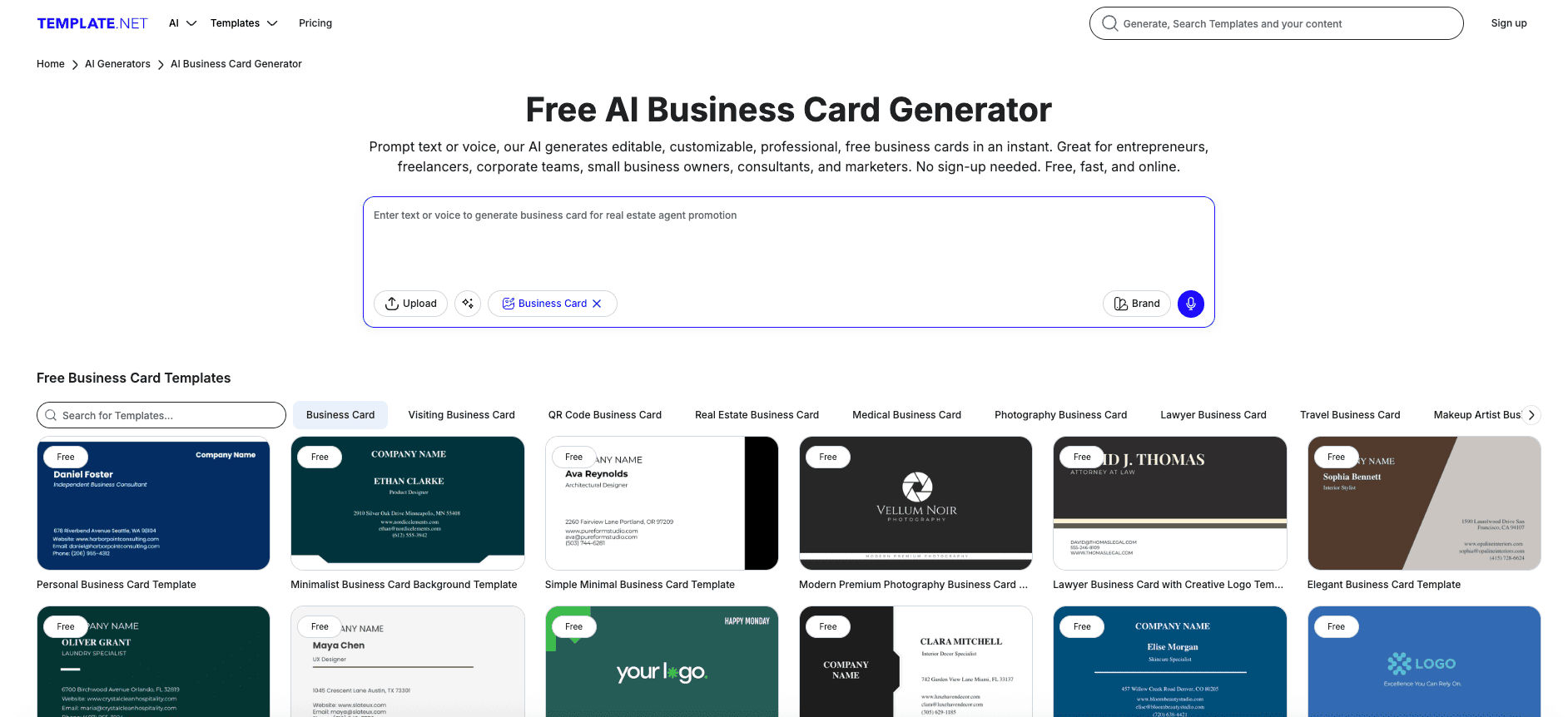
Template.net provides thousands of AI-generated templates tailored to industry and style preferences. Users can adjust icons, fonts, and colors to align with brand identity, making it highly adaptable for entrepreneurs and teams.
The editor lets users preview their cards in both digital and print formats, making it easy to evaluate color choices, typography scale, and overall layout. This capability also helps maintain a unified brand look while ensuring the final output appears refined and credible.
Also Read: 50+ Top Business Idea AI Prompts to Inspire Your Next Venture
5. Piktochart

Piktochart leverages AI to produce ready-made business card templates based on simple prompts. With this AI business card generator, users can refine fonts, colors, and layouts to design professional cards suited for both print and digital use.
It also offers instant previews, helping you see exactly how the design will appear across different media. This makes it easier for entrepreneurs and small teams to maintain consistent branding while producing refined cards.
6. Somake

Somake focuses on minimal, clean business card designs. Users simply enter their basic contact details. The AI then generates a professional layout instantly, making it a great choice for freelancers and consultants who want to generate professional business cards instantly with AI.
It also provides digital and print-ready previews so users can see exactly how their cards will look when shared or printed. This feature helps maintain brand consistency and ensures a professional look that reflects the user’s personal or business identity.
Also Read: 50+ AI Prompt Library for Business and Process Management
7. Bylo

Bylo AI combines your text, logo, and color choices into print-ready business card designs. The AI ensures clear layout balance and strong readability, allowing you to create high-quality cards with ease.
The platform also provides previews for both digital and physical formats before finalizing, helping you make confident branding decisions and ensuring the card aligns well with your overall business image.
Also Read: Best AI Logo Generator: Top 6 Solutions for Branding
Build a Stronger Professional Identity with Smart AI Design!
AI business card generator tools make the design process faster and easier, but the real impact still depends on strong brand presentation. Consistent typography, color, and layout hierarchy are essential for a card that feels credible. When these elements align with your brand identity, the design becomes more memorable.
AI takes care of speed and structure, but high-quality fonts add the refinement that sets a design apart. The right typefaces improve readability, elevate the visual style, and give your card a premium finish that AI alone cannot achieve.
By combining generative AI with thoughtful font selection, you can create business cards that are visually striking and professionally consistent. Looking for premium options? Explore curated typefaces from StringLabs Creative.
Comments are closed.