
6 Recommendations for Best Monitor for Graphic Design in 2024
Basically, the best monitor for graphic design is specially designed for creative professionals because it offers high resolution and precise color accuracy. These attributes are crucial when working with digital art and for printing purposes.
Now, if you’re searching for a graphic design monitor for yourself or someone close, we’ve compiled some top choices. Additionally, we will break down their specifications, features, and prices. Dip your toes in the following discussion and get the most suitable option aligned with your needs!
Also Read: The Magical Evolution in Design: Past, Present, and Future
6 Best Monitors For Graphic Design
Whether you’re just starting or an experienced designer, this guide will assist you in discovering the best monitor for graphic design specifications that meet the most common designer needs for working. Explore our list below!
1. BenQ PD3220U (5 stars)
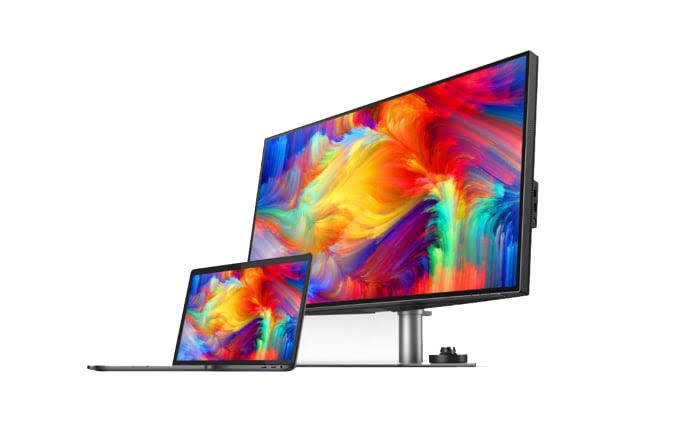
The BenQ PD3220U is a top-notch 4K UHD monitor designed for professionals. It comes with Thunderbolt 3 connectivity and includes a built-in KVM switch.
Specifications:
| Screen Size | 32 inches |
| Display Quality | 4K resolution (3840×2160 pixels) |
| Brightness | 350 cd/m2 |
| Response Time | 5 ms |
| Color Accuracy | sRGB 100%, 95% Display P3/DCI-P3 |
| Refresh Rate | 60 Hz |
| Input Ports | Two Thunderbolt 3, Two HDMI 2.0, One DPI.4, One USB-B, Three USB-A 3.1, One USB-C, One headphone jack |
| Price | US$999,99 |
| Link to buy | Amazon |
Pros
- Well-built and appealing design;
- impressive display with 4K resolution, HDR capability with high pixel density; and
- versatile connectivity options, along with multiple HDMI, and DisplayPort ports, as well as a USB-C port.
Cons
- Built-in speakers are not of high quality.
2. Asus ProArt PA32UCG-K (4.5 stars)

This is considered as curated best monitor for designers because mainly it has high-quality Mini-LED technology, with the following specifications.
| Panel Type | IPS with Mini-LED backlight |
| Resolution | 3840 x 2160 |
| Brightness | 400cd/m2 (Typical), 1600 cd/m2 (Maximum) |
| Pixel Response | 5ms |
| Color Coverage | 100% sRGB, 99.5% AdobeRGB, 98% DCI-P3, 85% Rec.2020 |
| Refresh Rate | 120Hz |
| Inputs | HDMI 2.0b (1 port), HDMI 2.1 (1 port), DisplayPort v1.4 (1 port), Thunderbolt 3 (1 port), USB-C (1 port), USB 2.0 (3 ports) |
| Price | US$2.955,71 |
| Link to buy | Amazon |
Pros
- Great color quality;
- 1,152 localized backlights;
- bright display with a peak brightness of 1,600 nits;
- impressive and well-built design; and
- comes with calibration hardware.
Cons
- Heavy in weight;
- OSD controls can be confusing; and
- possible cabling problems.
3. Viewsonic VP3268a-4K (4.5 stars)
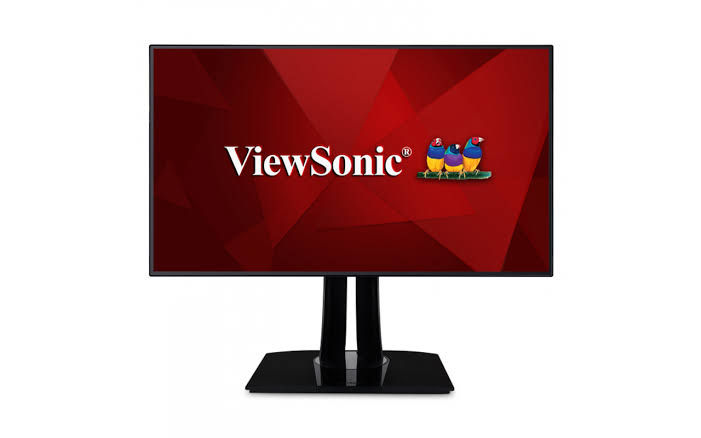
If you’re looking for the best monitor for graphic design with a 4K display and are willing to spend a bit more for better accuracy. Thus, consider adding the Viewsonic VP3268a-4K to your list of options.
Specifications
| Display Type | 32-inch IPS |
| Resolution | 3,840 x 2,160 |
| Brightness | 300cd/m2 |
| Pixel Response | 5ms |
| Color Coverage | 113% sRGB |
| Refresh Rate | 60Hz |
| Inputs | DisplayPort 1.4, HDMI 2.0 (x2), USB-C with 90W Power Delivery |
| Price | US$787,95 |
| Link to buy | Amazon |
Pros
- High-quality 4K resolution;
- USB-C with 90W power delivery; and
- Pantone certified for color accuracy
Cons
- Lacks HDR support; and
- moderate brightness level.
Also Read: 7 Must-Try AI T-Shirt Design Software to Enhance Your Artwork

4. AOC U32P2CA (4 stars)
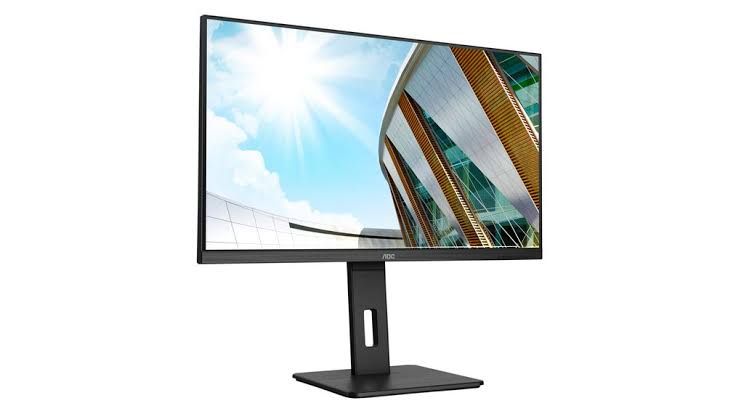
This monitor offers a 32-inch 4K display using VA technology for enhanced productivity with AOC U32P2CA which helps you to increase your work efficiency.
Specifications
| Display Type | 32-inch VA |
| Resolution | 3,840 x 2,160 |
| Brightness | 350cd/m2 |
| Pixel Response | 4ms |
| Color Coverage | 88% AdobeRGB |
| Refresh Rate | 60Hz |
| Inputs | DisplayPort 1.2, HDMI 2.0 (x2) |
| Price | US$409,99 |
| Link to buy | Amazon |
Pros
- The stand is fully adjustable;
- 32-inch 4K VA display; and
- reasonably priced.
Cons
- Color accuracy is average; and
- lacks USB-C and HDR support.
5. Philips 288E2A (4stars)

Philips 288E2A is another best monitor for graphic design since it has extended the dimensions of its well-received 4K monitor by an additional inch. Furthermore, now it has a special feature like a 28-inch IPS display.
Specifications
| Display Type | 28-inch IPS |
| Resolution | 3,840 x 2,160 |
| Brightness | 300cd/m2 |
| Pixel Response | 4ms |
| Color Coverage | 119% sRGB |
| Refresh Rate | 60Hz |
| Inputs | DisplayPort 1.2, HDMI 2.0 |
| Price | US$249,99 |
| Link to buy | Amazon |
Pros
- Adjustable stand for flexibility;
- 32-inch 4K VA display; and
- affordable pricing.
Cons
- Color accuracy is average; and
- lacks USB-C and HDR support.
6. Dell UltraSharp U4021QW (4 stars)
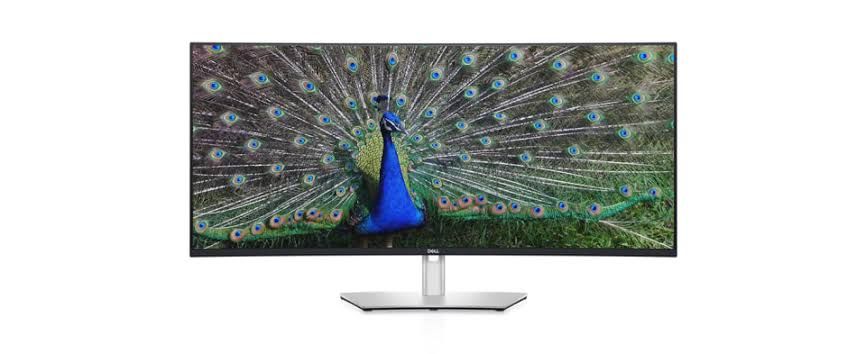
For an ample screen area with good precision and pixel density, consider the Dell UltraSharp U4021QW with the specifications below.
| Display Type | 40-inch IPS |
| Resolution | 5,120 x 2,160 |
| Brightness | 300cd/m2 |
| Pixel Response | 5ms |
| Color Coverage | 98% DCI-P3 |
| Refresh Rate | 60Hz |
| Inputs | DisplayPort 1.4, HDMI 2.0 (x2), USB-C with 90W Power Delivery |
| Price | US$1.619,99 |
| Link to buy | Amazon |
Pros
- Impressive 40-inch display;
- adequate pixel density; and
- strong color coverage.
Cons
- Lacks HDR support; and
- comes with a high price tag.
Also Read: How Much Does a Logo Cost in 2023? Here Are the Details!
What’s Your Preferred Monitor to Showcase Your Masterpiece?
When it comes to presenting your creative masterpieces, choosing the best monitor for designers less or more impacts the way you work. Whether you prioritize vibrant colors, precise details, or versatile connectivity, finding the right display is such a game changer for work accuracy and productivity.
Thus, consider factors like color accuracy, resolution, and additional features such as USB-C connectivity. The monitor you favor should be a canvas that complements and enhances your artistic vision. So, don’t limit the options, discover the perfect fit for your needs, and let your creativity shine!