
Refining Vision: Mastering the Negative Prompt Stable Diffusion
Generating high-quality AI art requires more than just describing what you want to see. Mastering the negative prompt in Stable Diffusion is vital because it tells the engine exactly what to exclude from the final image. By defining these boundaries, you can eliminate common artifacts like contorted limbs or blurry textures.
Interestingly, the logic of negative reinforcement extends beyond images. According to IJCAI, utilizing negative prompt logic can boost AI performance by 12.89% in instruction tasks. This technical approach ensures your creative vision remains sharp and professional. This guide will explain the mechanics of negative prompting and provide a comprehensive list of terms to achieve optimal results.
Key Takeaways
- A negative prompt acts as a filter that prevents the AI from generating specific unwanted traits or errors.
- Effective negative prompts help solve structural issues like “bad anatomy” and “extra fingers” that often plague AI portraits.
- Using a standardized list of negative terms allows for more consistent and predictable image quality across models.
Stable Diffusion Negative Prompt List
Use a dedicated “Negative Prompt” field to filter out unwanted elements. You simply list the specific traits you want the model to avoid. This acts as a shield against the most frequent errors encountered during generation.
1. Eliminating Structural Distortions
The most common issue in AI art involves physical deformities in humans or animals. You should use terms like “extra limbs” or “fused fingers” as a negative prompt to guide the AI away from these structural errors.
This ensures that the generated subject maintains a natural and realistic appearance. This technique is a core part of utilizing the negative prompt Stable Diffusion effectively.
Additionally, adding “malformed hands” helps the model understand the boundaries of human anatomy. Consequently, your characters will look more lifelike and less like a technical glitch.
Also Read: What is the Main Goal of Generative AI: Reflection of the Augmentation Era

2. Improving Image Clarity and Sharpness
Blurry or out-of-focus images can ruin an otherwise perfect composition. To combat this, include “blurry,” “low quality,” and “out of focus” in your prompt. These keywords force the model to prioritize high-resolution textures and sharp edges.
This is because the AI often defaults to softer details if not explicitly told otherwise. Using these constraints results in a crisp, professional-looking final product.
3. Removing Watermarks and Text
AI models are trained on vast datasets that often include labeled or watermarked images. That is why you might see random letters or logos appear in your generated art. Including “text,” “watermark,” and “signature” in your prompt prevents this interference from cluttering your work.
This ensures your image remains clean and ready for professional use. Additionally, it prevents the AI from mimicking the artifacts of low-quality web images.
4. Correcting Facial Proportions
Portraits often suffer from mismatched eyes or irrelevant facial features. To fix this, you should use negative prompt Stable Diffusion keywords like “disfigured” and “mutated.” These terms encourage the model to follow standard symmetrical rules for human faces.
Consequently, the eyes and mouth will align much better with the overall head shape. This simple step significantly increases the aesthetic appeal of your AI characters.
Also Read: 7 Best AI Business Card Generator Tools for Modern Professionals
5. Managing Color and Lighting Issues
Sometimes the AI generates images that are too dark or have unnatural color saturation. Using words like “dark,” “oversaturated,” or “low contrast” helps balance the lighting. This allows the intended colors of your positive prompt to shine through properly.
This is essential for maintaining a specific mood or atmosphere in your project. Additionally, it prevents the image from looking “fried” or over-processed.
6. Refining Artistic Style and Texture
If you want a photorealistic image but the AI keeps adding “painterly” textures, you must exclude them. Terms like “cartoon,” “sketch,” or “illustration” help keep the output grounded in realism. Maintaining a clean Stable Diffusion negative prompt list allows you to control the medium of the art.
This gives you greater precision when trying to match a specific visual style. Consequently, you spend less time rerolling and more time refining your best results.
Also Read: Best AI Image Generator for Line Art You Need to Try
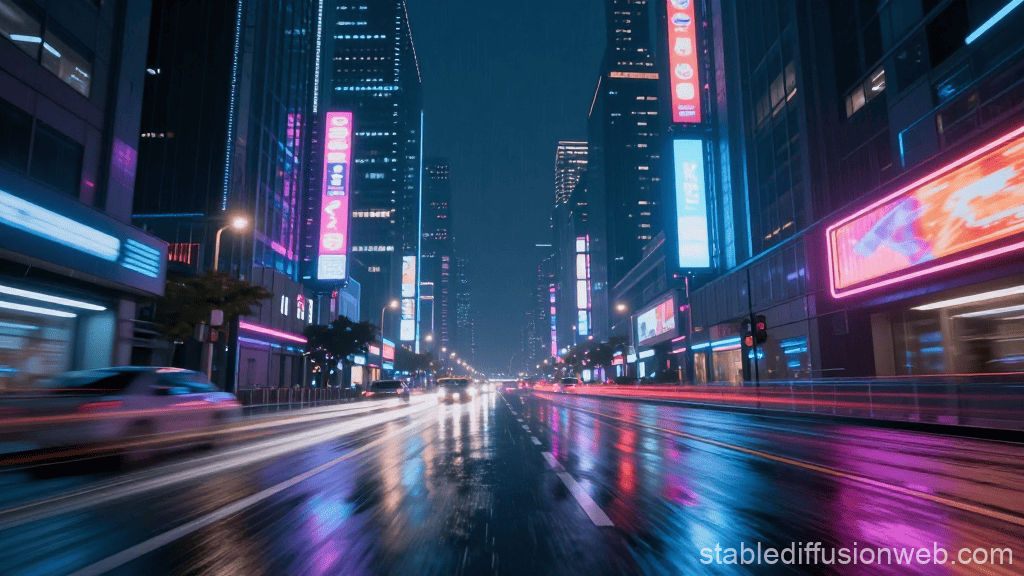
7. Examples of Negative Prompt Logic
To see the impact, consider these three specific negative prompt examples for Stable Diffusion and their common results:
Prompt 1: A breathtaking cinematic landscape of a futuristic neon city at night, rainy streets, high-speed reflections, hyper-detailed, 8k resolution, masterpiece.
Negative Prompt: (low quality, worst quality:1.4), blurry, grainy, misshapen, lowres, dark spots, compression artifacts, hazy.
Result:
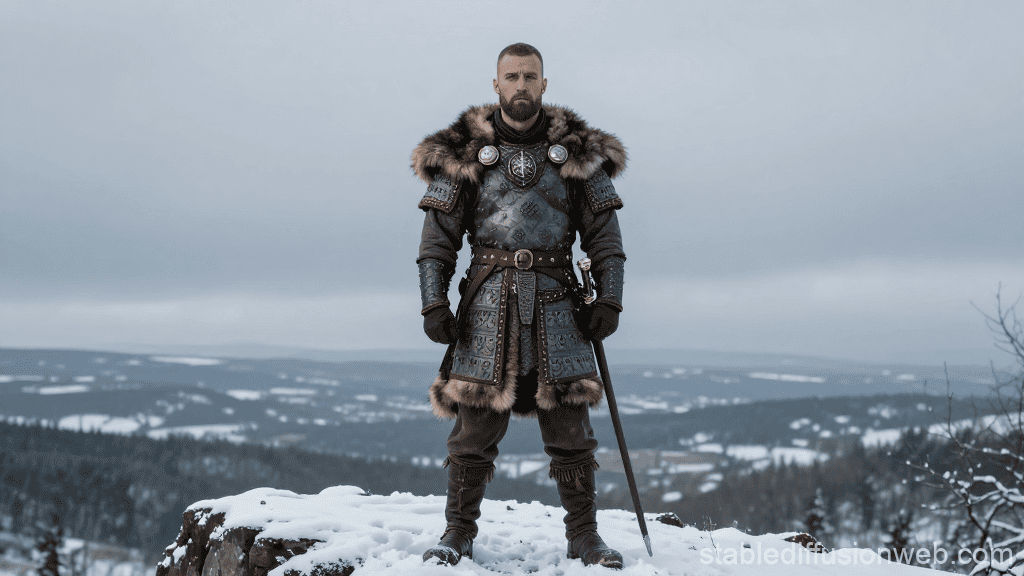
Prompt 2: Full-body professional portrait of a Viking warrior standing on a snowy cliff, intricate fur armor, 85mm lens, sharp focus, hyper-realistic.
Negative Prompt: (bad anatomy, extra limbs, extra fingers:1.2), deformed, mutated, missing limbs, fused fingers, bad proportions, floating limbs, detached limbs, malformed hands.
Result:
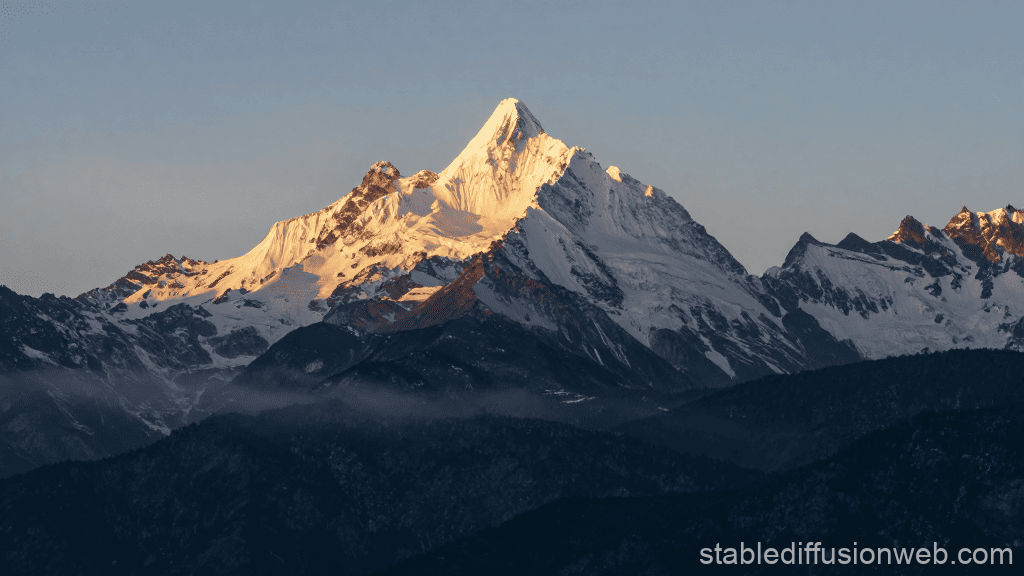
Prompt 3: A breathtaking realistic landscape of a sharp mountain peak during a golden sunrise, first light hitting the snow-capped summit, deep valleys in shadow, morning mist, hyper-detailed, photorealistic, 8k resolution, cinematic lighting, shot on a 35mm lens, crisp focus.
Negative Prompt: (watermark, text, signature), letters, words, logo, username, messy lines, cropped, out of frame, border, frame, (blurry, grainy:1.2), lowres, distorted, compression artifacts, hazy, overexposed.
Result:
Further essential negative terms:
- Duplicate
- Mutilated
- Poorly drawn hands
- Gross proportions
- Missing arms
- Missing legs
- Long neck
- Ugly
- Deformed
- Body out of frame
- Cut off
- Kitsch
Also Read: 8 AI Signature Design Tools for a Professional Signature
Finalizing Your Visual Output with Negative Prompt Stable Diffusion
Mastering the negative prompt Stable Diffusion is a transformative step for any AI creator. By explicitly stating what should be omitted, you gain unprecedented control over the clarity and realism of your art. This technical aspect separates casual users from professional artists who require consistent, high-end results.
However, even the most perfectly generated AI image is only one part of a professional design. The visual identity of your content, especially your typography, determines how your audience perceives your brand’s authority. Using low-quality or default fonts can undermine the professional look of your AI-generated assets.
To ensure your final designs look polished and sophisticated, you need typefaces that match the high quality of your art. StringLabs Creative offers exclusive, premium font collections designed to bring a sharp and consistent look. Elevate your project’s credibility by exploring the professional creative font library at StringLabs Creative.
Comments are closed.